Showing posts with label workflow. Show all posts

Thursday, 16 May 2024

Why Teams Should Be Self-Organizing in Agile Project Management


In the world of project management, agile methodology has revolutionized how teams collaborate, innovate and deliver value. There is a concept called self-organizing team in agile project management, this includes a group of individuals who have the autonomy and responsibility to manage themselves and their work processes. 

In a traditional hierarchical structure tasks are handed down from top level managers to lower level tech experts. 

However, in a team each individual is enabled to make decisions, solve problems and adapt to changing circumstances independently. 

The concept of self-organizing team is rooted in agile principles, which emphasizes collaboration, flexibility and responsiveness to customer needs. 

It gives them the freedom to organize and manage themselves, where organizations aim to promote creativity, innovation and efficiency.

Read the full blog  

Friday, 16 April 2021

How to Achieve Project Milestones in 5 Ways

If small wins give you a dopamine kick, so will achieving Project Milestones!

Ever observed the signboards on the sides of highways indicating your completed and upcoming milestone? They help us keep our spirits high, assuring that we’re on the right path. This is exactly what Project Milestones do!

When it comes to team projects, the success of a project milestone largely depends on how well is a project workflow managed.

According to Project Management Institute, it’s evident that 37% of projects fail due to a lack of clearly defined objectives and milestones. This being said, by setting manageable yet productive milestones, achieving project targets becomes a piece of cake.

What is a Project Milestone?


Project Milestones are achievements or the completion of a major phase in a project. They serve as checkpoints on your project timeline. Additionally, they help you easily identify the current stage of your project plus how far you are from completion.  


What are Project Milestones important?

Inconsistency is the key factor that causes delays in the entire project delivery process, thus affecting business. Mapping milestones efficiently is quite a tedious job for Project Managers. Effective project planning builds the foundation for the next steps that lead to achieving a project milestone. Therefore, Milestone planning is a crucial part of project planning!

Read the full article at Orangescrum blog

Thursday, 26 March 2020

How to use Project Templates in Orangescrum


Project Templates are productive means to structure and execute specific project types.
The basic idea behind project templates is to have a well-defined view, specific status workflow and corresponding task types etc. to make project execution smooth.
Orangescrum project management tool offers comprehensive project template features.
Based on careful review, customer requests and best practices, you can start with the following 8 project templates.


Before we move on to the specifics, I would like to give you a quick rundown of project template benefits.


Wednesday, 10 July 2019

Task Management - The Key to Productive Teams


The most successful people aren't superheroes. They have the same 24 hours in their day like us. But they find significant ways to “do” more in fewer hours. How do they do it?

When I was juggling for the solution, I found task management techniques to stay on top.

Task Management is more than planning, assigning, and tracking.

It is more about having the right people work on the right tasks in a time-boxed manner and bring them to their logical conclusion.

A robust task management process helps individuals and groups to collaborate and share information to achieve their collective goals.

Take the chaos out of teamwork and get more done!

Effective task management requires managing all the aspects of a task which includes time, priority, status, type, dependency, notifications, and so on.

Different Approaches to Task Management:

Here are the 2 task management methods which can improve your workflow and business productivity.

       Kanban
       Agile

Is task management quite hectic for you?

Read the full article at Orangescrum Blog

Monday, 19 February 2018

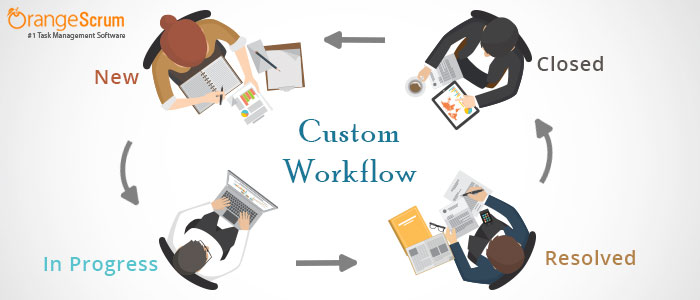
How to Create Custom Workflow in Project Management App Orangescrum


A workflow consists of a sequence of actions needed to complete a task or a project. A workflow reflects the working culture of your team or organization or a set process you need to follow for certain activities and projects.

Workflow management is all about the setup, performance, and monitoring of a defined sequence of processes and tasks, with the broad goals of increasing productivity, reducing costs, becoming more agile, and improving information exchange within an organization.

There is no certain rule to create a workflow. One must consider stakeholder inputs, the objective and current processes to define a robust workflow. Always try to keep your workflow simple and effective.

Here are few common workflows used by Organizations

  • Web Development Workflow
  • Product Development Workflow
  • Lead Generation Workflow
  • Content Management Workflow
  • Marketing Workflow
  • Training Workflow
  • Applicant Tracking Workflow
  • Bug Tracking Workflow
Is it necessary to have a workflow?

As I said, it is not mandatory to have a workflow, but it is good to have standard workflows across your Organization for specific activities. And almost all organizations have their own per-defined procedures. A well –defined workflow gives clear information about the status of a task or project & real time indication of who’s responsible for the task and keeps everyone on the same page.

In Orangescrum, you can create your own custom workflow as per your own project requirements. You can have flow for each project individually or have one common flow across projects.

How to create a custom workflow in Orangescrum? 

To create custom workflow in Orangescrum;
  • Login to Orangescrum
  • Navigate to left menu panel and click on Add-ons
  • Click on Workflow Mgmt.